
Healthcare IT for Wisconsin medical practices.
Your charts open, your X-rays load and your HIPAA paperwork is done. One flat monthly price for dental offices and medical practices: we keep the systems running, keep patient records locked down, and hand you documentation that answers an auditor or a breach question with evidence. For practices from Madison to Milwaukee.
- $85–$120 per person, per month
- Signed BAA with every practice, included
- Free 30-minute call to start

Dental and medical look different.
Pick which you are.
A dental office runs on X-ray imaging and practice management software. A medical practice runs on its EHR and a lot of connected devices. Both get HIPAA covered; the details underneath are different.
Imaging workflow that doesn't quit mid-exam.
Intraoral sensors, panoramic machines and CBCT units don't forgive a shaky network. If the sensor drops connection during an exam, the patient waits, the hygienist reshoots, and your schedule slides for the rest of the day.
We put your imaging equipment on its own network so sensors reach the imaging computers without being exposed to the internet, lock down the Windows computers running Dentrix or Eaglesoft, and back up your images with test restores, so the backup works when you need it.
Front desk, sterilization area, operatories, and imaging room all get access tuned to what they actually need — no more, no less.
An EHR that stays up, devices kept separate.
EHRs are fussy about slow or unreliable networks. Epic, athenahealth, eClinicalWorks and NextGen each have quirks that turn into patients waiting when the network isn't set up for them. We set yours up with those quirks in mind.
Medical devices (vitals monitors, point-of-care analyzers, imaging) go on their own separate network, with written rules for what can reach them. That protects the devices from the rest of the office, and the office from the devices.
A record of who opened what, from day one. If something goes wrong, you can quickly work out which patients were affected and whether you have to notify anyone, instead of piecing it together afterward.
Three pillars, implemented and documented.
HIPAA's Security Rule splits patient-data protection into three kinds of safeguards: your policies, your physical space and your technology. Here's what we put in place for each.
Administrative safeguards
- Written security policy
- Staff get access when hired, lose it when they leave
- Annual risk analysis
- Security awareness training
- A written plan for a breach
- Business Associate Agreements
- Contingency & recovery planning
Physical safeguards
- Workstation use policies
- Rules for laptops, USB drives and old hard drives
- Who can walk into the server closet, and when
- Encrypted portable devices
- Old computers wiped before they leave
- Server room access limits
- Camera coverage guidance
Technical safeguards
- Everyone has their own login
- Staff only see what their job needs
- A record of who opened what
- Patient data encrypted, stored and sent
- Screens lock when someone walks away
- Two-step login on every account
- Emergency access procedures
What downtime costs.
Healthcare IT isn't a back-office concern. When something goes down, patients reschedule, reimbursements slip, and regulators eventually want to know why.
The figures below come from published industry research on healthcare downtime and breach costs.
Every hour an EHR is down
Patients wait, providers shift to paper, reimbursement documentation slips downstream.
Per-record breach cost
Healthcare carries the highest per-record breach cost of any industry, driven by patient notification, cleanup, and federal (OCR) enforcement.
Patient appointments rescheduled
Practices hit with ransomware typically lose 2 to 5 days of productive clinical time.
Threshold for HHS notification
Breaches affecting 500+ patients trigger HHS portal posting, media notification, and an investigation.
Medical devices don't share a network with the guest WiFi.
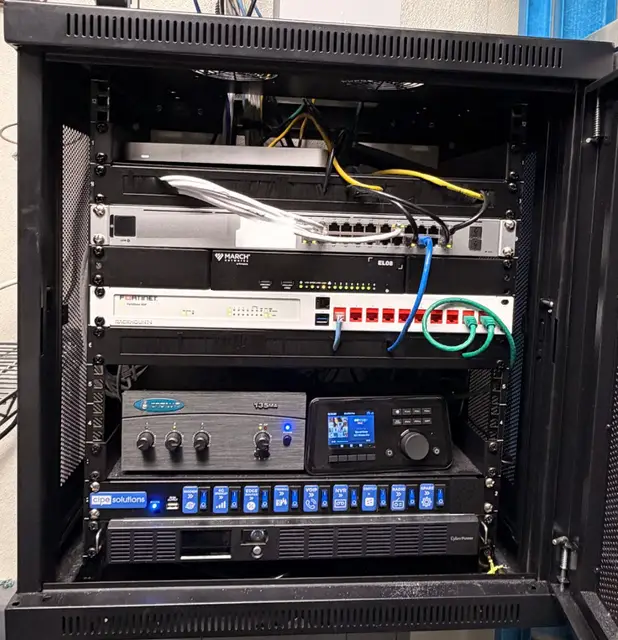
Splitting your office into separate networks is one of the quickest ways to protect a practice. Imaging equipment, the computers that hold patient records, payment terminals, front-desk machines and guest WiFi each get their own network, and the firewall decides what can talk to what.
So if one device gets infected, it can't reach your patient records. And a patient on the waiting-room WiFi never touches your clinical equipment.
- Patient records and charting computers
- Imaging & medical devices
- Admin & front desk
- Guest WiFi (fully isolated)
Questions practice administrators ask.
Questions from office managers, practice administrators and owners. If yours isn't here, ask it on the free call.
Book a free call →Does HIPAA require us to have a managed IT provider?
Will you sign a Business Associate Agreement (BAA)?
Do you support our practice management or EHR system?
What happens if we have a ransomware incident?
Can you support a practice with multiple locations?
How do you handle imaging sensors and medical devices?
What does a HIPAA risk analysis look like?
Let's see if we fit your practice.
A free 30-minute call with your practice administrator or owner. No forms and no pitch deck. A straight conversation about your systems, where you stand on HIPAA, and whether we're the right partner.